Gallery
Description
Short description (CurseForge field)
Owner-only mass-storage chests with 1080 slots holding up to 1M items each (~1 billion total). Two variants: standalone Mega Chest and Network Chest with shared per-owner pool across all your placed Network Chests. Paginated UI, search, one-click Deposit Inventory. Crafted at the Alchemybench.
GlymeraMegaChest - One Chest, A Billion Items
What is GlymeraMegaChest?
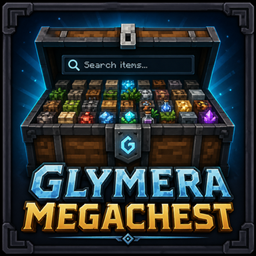
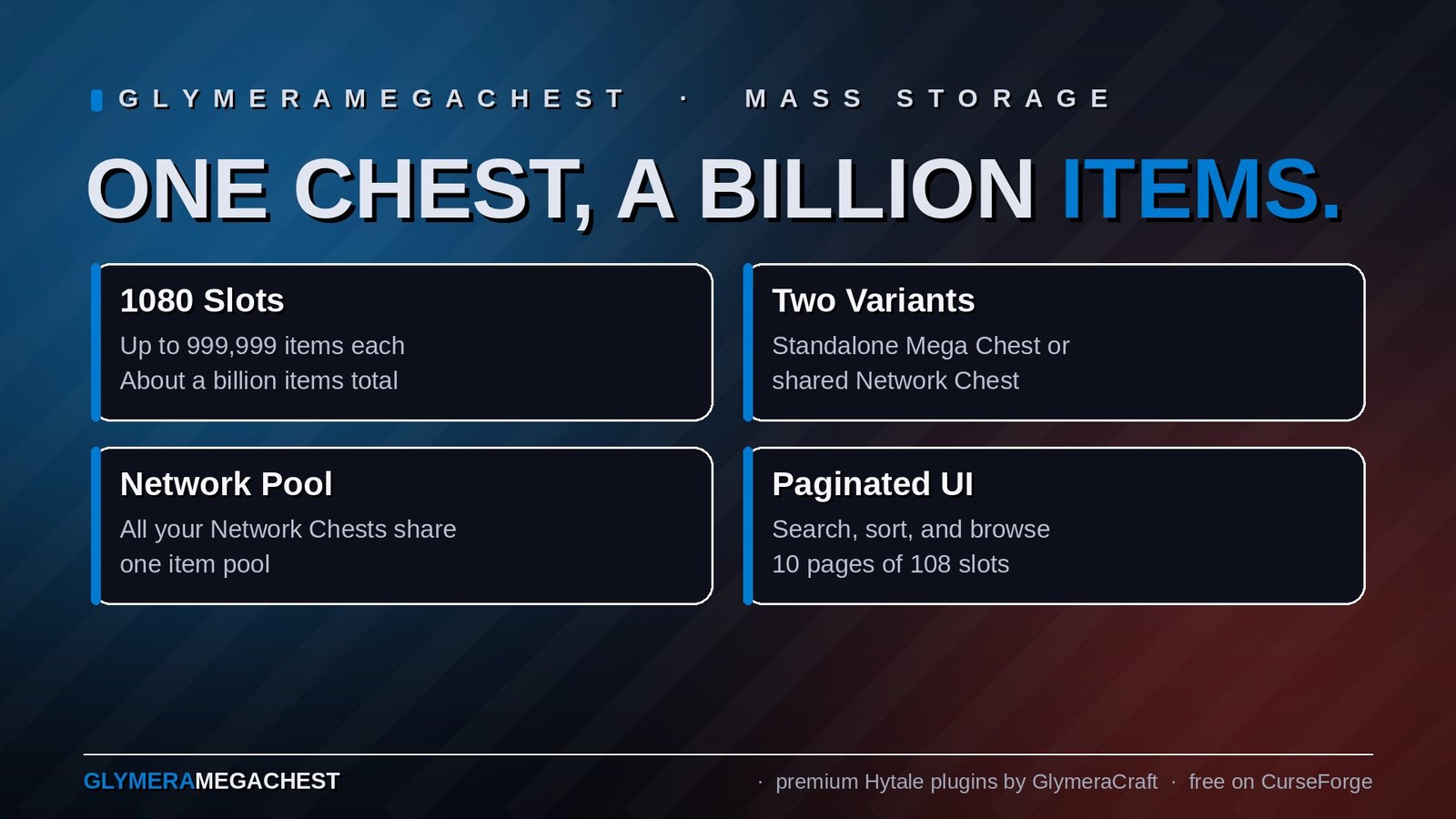
Two purple-tinted chest blocks that turn into true mass-storage containers. Each carries 1080 virtual slots across 10 pages of 108, and each slot can hold up to 999,999 items by default. That works out to roughly a billion items per chest.
Two variants are available:
- Mega Chest — a Royal Magic Chest with a strong purple tint. Each placed chest is its own standalone storage. Place as many as you want; each one has its own contents.
- Network Chest — a Temple Light double-chest with a soft lavender tint. Every Network Chest you place shares a single per-owner item pool. Drop something in one Network Chest and it's instantly available in every other Network Chest you own — across worlds, across builds. Perfect for castles, village settlements, or themed buildings where you want crafting benches in different rooms but all drawing from one stockpile.
Neither is built on Hytale's native container system; storage lives in a server-side JSON file (per chest for Mega Chest, per owner for Network Chest), and the contents are shown through the same Custom UI Page with paging, search, and a "Deposit Inventory" button. Player hotbar items stay equipped while you fill the chest, and a 3-layer protection system keeps strangers out.
Crafting
Both variants are crafted at the Alchemybench (category Alchemy_Potions):
Mega Chest:
- 1x Furniture_Royal_Magic_Chest_Small
- 2x Ingredient_Life_Essence_Concentrated
Network Chest:
- 1x Furniture_Temple_Light_Chest_Large
- 3x Ingredient_Life_Essence_Concentrated
Crafting can be turned off server-wide for both variants; OPs can still hand chests out via /megachest give and /megachest givenet.
How It Works
Placing & Owning
Right-click with the chest item in your hand to place it. The placing player becomes the owner.
- Mega Chest stores world, position, and owner UUID in
plugins/GlymeraMegaChest/chests/<uuid>.json. Each placed chest has its own file and its own contents. - Network Chest stores its block position under your per-owner pool file at
mods/de.glymera_GlymeraMegaChest/network/net_<owner-uuid>.json. Place a second Network Chest and the same pool file gains another position entry — both chests open the same items from now on.
Both chest types survive server restarts and chunk unloads.
Opening
Right-click the placed chest. The Custom UI opens with:
- Title bar showing the owner's name and how many of the 1080 slots are used
- Header: "Deposit Inventory" button on the left, search field in the middle, page navigation (
<1 / N>) on the right - Slot grid: 108 slots per page, each showing item icon, quality background, quantity, and durability percentage if the item is below full durability
- Footer: short hint about the click bindings
Putting items in (Deposit Inventory)
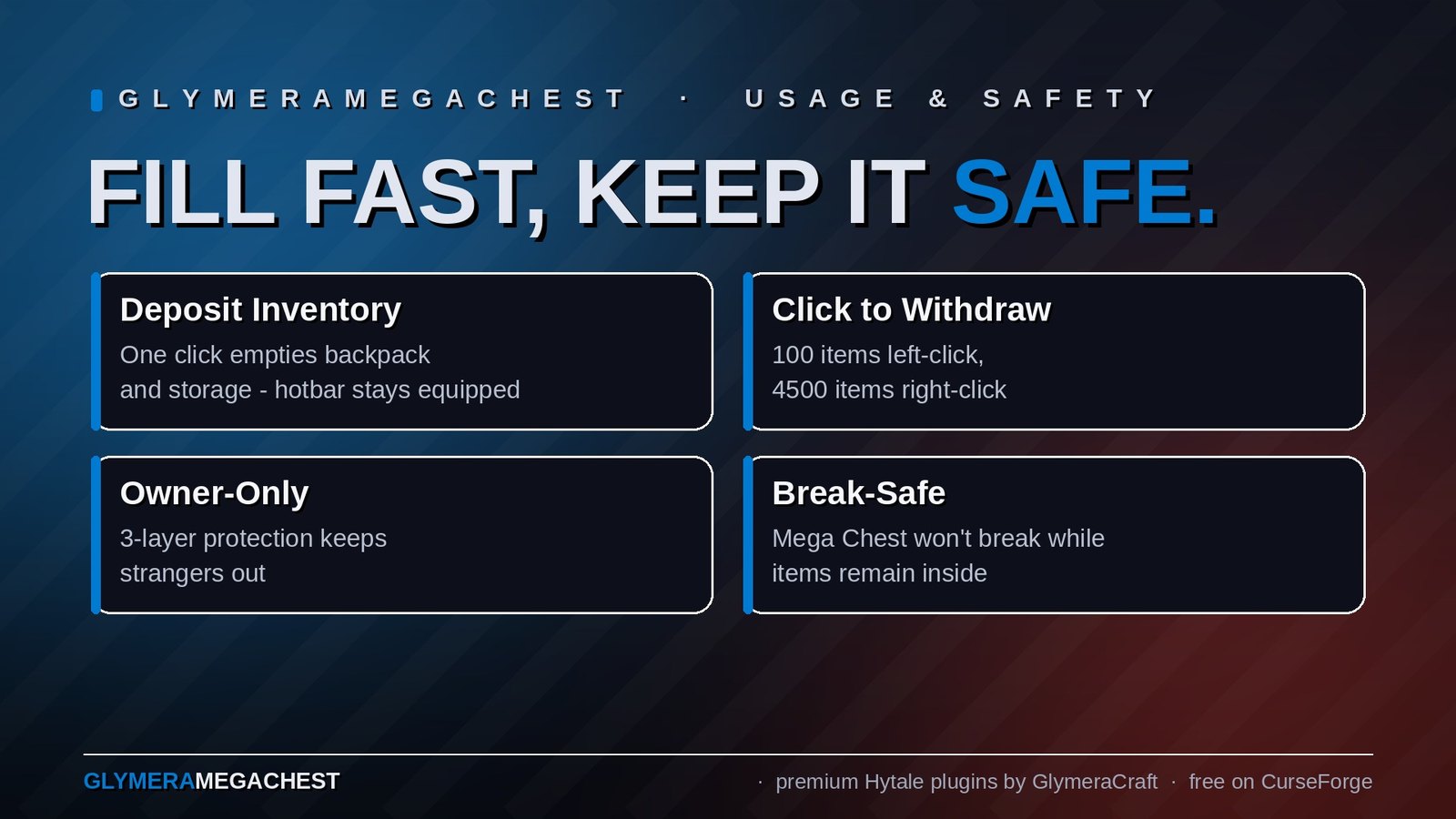
Click Deposit Inventory and the entire backpack and storage of your inventory is moved into the chest in the next free slots. The hotbar is untouched so equipped weapons and tools stay where they are. Stackable items merge with existing stacks of the same kind (matching durability and metadata) up to the configured per-slot cap.
If something fails to leave your inventory the chest entry is rolled back automatically, so duping is impossible.
Taking items out
- Left-click a slot: takes 100 items (one normal stack) into your inventory
- Right-click a slot: takes 4500 items (= 9 hotbar + 36 storage slots * 100 items, the most a fresh inventory can hold) into your inventory
- Anything that doesn't fit stays in the chest
These limits are hard-coded on purpose and tied to the player inventory math; they are not in the config.
Search
The search field at the top of the UI filters slots live. Matches are based on both the technical item id (e.g. Plant_Crop_Pumpkin_Item) and a "trivialized" form (pumpkin), so user-friendly terms work too. Non-matching slots are hidden, page count adjusts. Clearing the field brings everything back.
Auto-sort on close
When you close the UI the chest contents are sorted alphabetically and stackable slots of the same item are merged. So even after a chaotic deposit run the chest is tidy the next time you open it.
Durability awareness
Items with reduced durability are shown with a percentage label (top-left, color-coded green/yellow/red). Crucially, damaged items are never stack-merged with full-durability ones — Hytale's own isStackableWith check ensures each damaged item keeps its own slot, so taking it back gives you the same item with the same condition.
Breaking & item safety
Mega Chest cannot be broken while it still contains items. Try to break a non-empty chest and you'll see the message "Empty the chest before breaking it (X stacks remain)". Once the chest is empty, the owner (or an OP) can break it normally and gets the chest item back.
Network Chest uses a smarter rule that fits the shared-pool model:
- More than one Network Chest in your network: any chest can be broken freely. The pool stays accessible through your other Network Chests. Items are never dropped — they remain in the pool.
- Last Network Chest in your network: only breakable when the pool is empty. If items are still in the pool you'll see "This is your last network chest. Empty the storage first or place another network chest." This protects you from accidentally locking yourself out of your own items. Place another Network Chest first, or take everything out, then break.
Strangers cannot damage, break, or open either chest type (3-layer protection: DamageBlock + BreakBlock + UseBlock).
Both chest models are drop-safe: physics changes around the chest (mining the block underneath, etc.) never cause them to drop as falling items. The chests stay where they were placed.
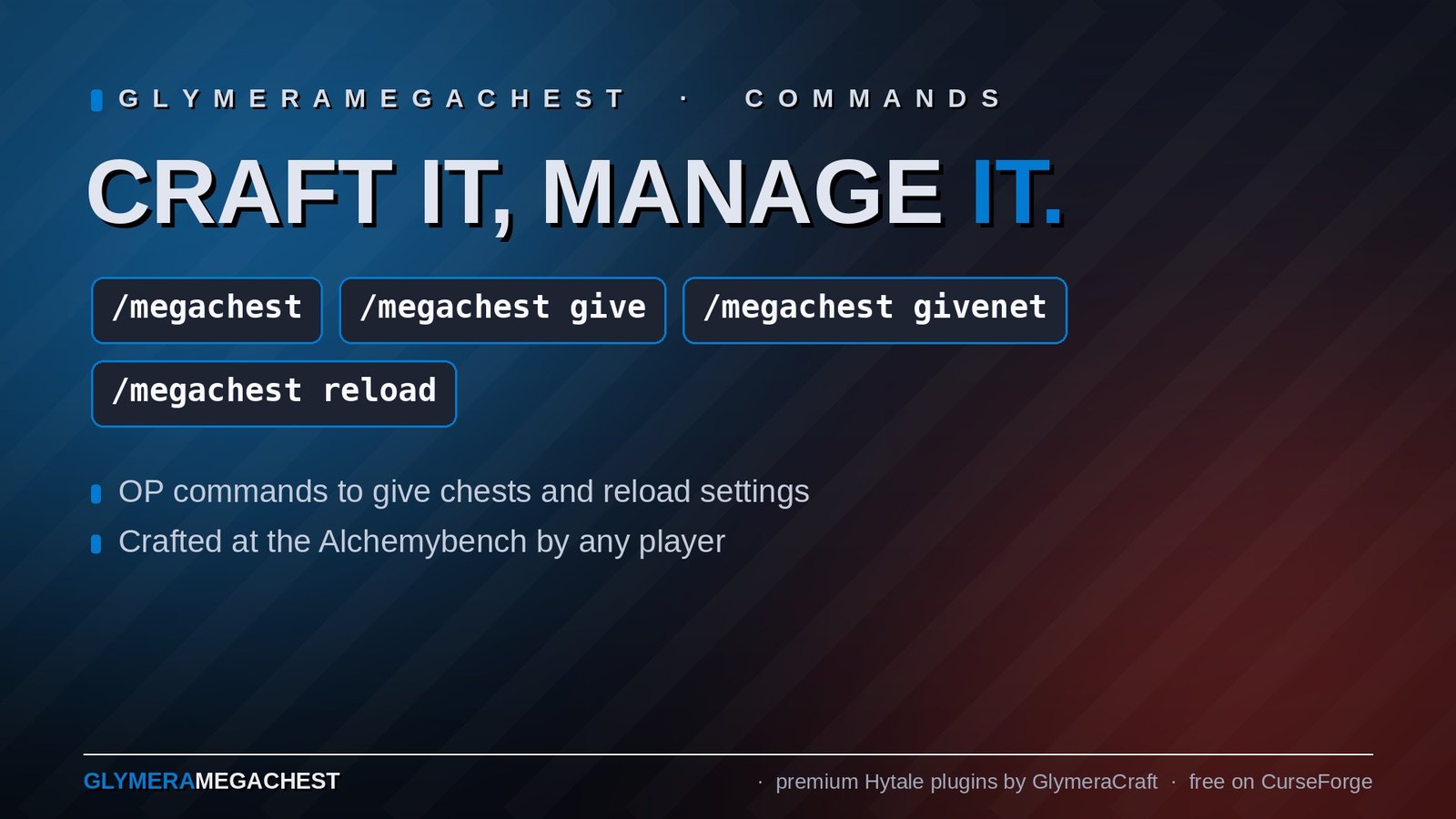
Commands
| Command | Who | Description |
|---|---|---|
/megachest |
Everyone | Show available subcommands and current settings |
/megachest give |
OP only | Give yourself one Mega Chest item |
/megachest givenet |
OP only | Give yourself one Network Chest item |
/megachest reload |
OP only | Reload config.json without restarting the server |
Configuration
File: plugins/GlymeraMegaChest/config.json (created on first start)
| Setting | Default | Description |
|---|---|---|
slotsPerPage |
108 |
Number of slots shown per UI page |
pages |
10 |
Total number of pages (capacity = slotsPerPage * pages) |
maxStackPerSlot |
999999 |
How many items fit into one chest slot. Theoretical max is the Java int limit (~2.1 billion); items return to the player split correctly against each item's real MaxStack. The quantity display switches to compact form (12K, 3.5M, 1.2B) for large numbers. |
craftingEnabled |
true |
If false, both Alchemybench recipes are cancelled with a chat message. OPs can still use /megachest give and /megachest givenet. |
ownerOnly |
true |
If true, only the placing player (or OPs) can open / damage / break the chest. Applies to both variants. |
After editing the file run /megachest reload.
Persistence
Storage layout depends on the chest variant:
- Mega Chest: one file per chest at
mods/de.glymera_GlymeraMegaChest/chests/<uuid>.json, holding owner, position, and items. - Network Chest: one file per owner at
mods/de.glymera_GlymeraMegaChest/network/net_<owner-uuid>.json, holding owner, the list of all positions where the owner placed Network Chests, and the shared items. Filenames use an underscore rather than a colon so the plugin works on Windows hosts as well as Linux.
For both variants:
- Server restart: chests and contents survive
- Chunk unload: data lives outside the chunk; placement and contents are unaffected
- Block update protection: at start and every 60 seconds the plugin re-marks every chest block as decoration so neighboring physics changes do not cause it to drop
- Empty Mega Chests are kept until broken; only legitimate break deletes the JSON
- Network pools are kept as long as the owner has at least one Network Chest placed OR the pool still has items. Once both go to zero the pool file is removed.
Features
- Two chest variants: standalone Mega Chest and Network Chest with shared per-owner pool
- 1080 slots / page-paginated Custom UI (configurable)
- Up to 999,999 items per slot by default (configurable up to ~2 billion)
- Owner-only protection in 3 layers (DamageBlock + BreakBlock + UseBlock)
- Drop-safe blocks (Material:Solid + DropList:Empty + markDeco) that never fall to physics changes
- Custom UI with item icons, quality background, durability percent (color-coded), quantity in compact form
- Live search by id or trivialized name (e.g. "pumpkin" matches
Plant_Crop_Pumpkin_Item) - Auto-sort on close, alphabetical, with stack merging
- Deposit Manager sub-page for picking individual slots or bulk-depositing Storage / Backpack / All; hotbar always stays equipped
- Take 100 (left-click) / 4500 (right-click) items per click, sized to the player inventory
- Damaged items kept apart from full-durability ones by Hytale's own stack matching, so wear is preserved
- Roll-back protection prevents item duping if removal from the player inventory fails for any reason
- Mega Chest: cannot break a non-empty chest so contents can never be lost by accident
- Network Chest: smart break rule that lets you freely remove any chest while another one is still standing, while protecting your last chest with a non-empty pool
- Crafting toggle for servers that want to gate access through
/megachest giveand/megachest givenet
Installation
- Place
GlymeraMegaChest-3.0.0.jarin your server'smods/folder. - Start (or restart) the server.
- Everything is embedded in the JAR - no external asset folders needed.
Good to Know
- Drag & drop is not supported. Hytale Custom UI Pages do not show the player hotbar and have no drag interaction. Use the Deposit Inventory button to fill the chest, and click slots to take items out.
- Why 4500 on right-click? A fully empty player inventory has 9 hotbar + 36 storage = 45 slots, and the standard stack size in Hytale is 100. So 4500 is the most the engine can ever accept in one transfer; everything beyond that stays in the chest.
- Search uses substring matching. Both the raw item id (lowercased) and a "trivialized" form (common prefixes like
Ingredient_,Plant_Crop_,Rock_Gem_removed, underscores replaced by spaces) are searched. - Sort key. The auto-sort uses the lowercased item id, not the localized display name (the server does not have access to client localization). Items group sensibly by family because Hytale ids are already prefix-grouped (
Plant_Crop_*,Rock_Stone_*, etc.). - Multiple chests per player. There is no limit on how many chests one player owns - place as many as you want. For Network Chests this is the entire point: every chest you own funnels into the same pool.
- Mixing variants. A Mega Chest and a Network Chest are completely separate storage spaces. Items in your Mega Chest do not appear in your Network Chest pool, and vice versa. You can freely use both at the same time.
Made with care by Glymera for the Hytale community
Changelog
GlymeraMegaChest - Changelog
v8.0.0 (2026-08-28) — Hytale 0.6.0 (Update 6)
- Rebuilt for Hytale 0.6.0 (Update 6). Requires server 0.6.0 or newer; this version does not run on 0.5.x, and older versions of this plugin do not run on 0.6.0.
- Migrated to the 0.6.0 APIs (network protocol hytale/3, new command-permission API, block/chunk/entity API changes). Everything that was open to players before is open to players again.
- Upgrade: delete the old jar from
mods/, drop in the new one and keep the plugin's data folder — configs and saved data carry over unchanged. Restart the server.
v7.0.0 (2026-06-04)
Single-issue release fixing an impossible-to-craft recipe on the standard Mega Chest, reported by nennt_mich_ela on 2026-06-04.
The Mega Chest is now actually craftable in survival
nennt_mich_ela reported that the Mega Chest could not be crafted in survival:
"You can't craft the Mega Chest because it needs Royal Chests, and the Royal Chest needs 2 dark hides (dark hide), which you can only get through extra mods or the creative menu. So it isn't craftable for us because we can't get hold of that dark hide."
She is exactly right.
Root cause. The Mega Chest recipe (Alchemybench) required 1x Furniture_Royal_Magic_Chest_Small + 2x Ingredient_Life_Essence_Concentrated. The Royal Magic Chest is a native Hytale item, and its own recipe requires 2x Ingredient_Leather_Dark. Dark leather is tanned from Ingredient_Hide_Dark ("dark hide") — and dark hide has no recipe and does not appear in a single DropList or LootTable anywhere in the Hytale asset set. It is obtainable only through the creative menu. So the dependency chain dead-ended one ingredient deep and the Mega Chest was uncraftable on any survival server. Furniture_Royal_Magic_Chest_Small is, in fact, the only chest in the game gated behind this unobtainable material.
This is the same class of bug as the v4.0.0 Network Chest fix, where the recipe depended on a block that has no obtainable item form.
Fix. The recipe now uses the Royal Magic Chest's own obtainable materials, with only the unobtainable dark hide removed, plus the Mega Chest's existing concentrated life essence:
| Before | After |
|---|---|
| 1x Furniture_Royal_Magic_Chest_Small | 2x Ingredient_Bar_Gold |
| 2x Ingredient_Life_Essence_Concentrated | 1x Rock_Gem_Ruby |
| 2x Ingredient_Life_Essence_Concentrated |
All three ingredients are obtainable in normal survival play (smelt gold, mine ruby, brew/condense life essence — the same essence the Network Chest already uses). The premium "royal" feel and the purple Royal Magic block model are unchanged; only the dead-end ingredient was swapped out. Crafting remains at the Alchemybench and is still togglable via config.craftingEnabled (whose in-config description was updated to match the new recipe).
The Network Chest recipe was never affected and is unchanged (3x Ingredient_Life_Essence_Concentrated).
Compatibility
- Recipe/asset-only change. No save-format change; all placed chests and their contents are untouched.
- The plugin's 21 compiled classes are unchanged apart from the one updated config-comment string; no behaviour changes beyond the recipe.
v5.0.0 (2026-05-23)
Single-issue release fixing a Windows-specific Network Chest persistence bug reported by BottenRastrd on 2026-05-23.
Network Chests are now persisted on Windows hosts
BottenRastrd reported that under v4 on his (Windows) installation:
"I place a network chest (or multiple chests) and they work as intended. If I save the game, return to the main menu, and reload the game the chest cannot be opened. Additionally, if you break the chest (which shouldn't be possible if it has items inside), it disappears and doesn't go into your inventory. There are no JSON files being written at all in the 'network' folder. I also tried using the regular mega chest and everything seems to be working as intended."
Three symptoms, one root cause.
Root cause. Network pools were keyed by id "net:" + ownerUuid and that id was used directly as the on-disk filename (plugins/GlymeraMegaChest/network/net:<owner-uuid>.json). The colon is legal on Linux/ext4 — so every internal test passed against the Linux dev server — but on NTFS the colon is reserved for alternate data streams. FileOutputStream of net:<uuid>.json.tmp raises IOException on Windows, which saveChest catches and silently returns from. Nothing ever made it to disk. Because the in-memory chests map still held the pool until restart, the chest looked fine until the player quit; on the next load, no JSON to read → no entry in posToChest → MegaChestUseBlockSystem returned without opening the plugin UI, and MegaChestBreakBlockSystem + MegaChestDamageBlockSystem no longer matched the block, so vanilla Hytale break handling kicked in with "DropList": "Empty" — block and contents vanished without a trace. Standard Mega Chests were unaffected because their id is a plain UUID.randomUUID().toString() with no colon.
Fix. Pool id prefix changed from "net:" to "net_" (single character, single source-of-truth constant NETWORK_ID_PREFIX). The underscore is legal on every filesystem the plugin can plausibly run on. saveChest, deleteChestFile, and loadChests all derive the filename from c.id so no other code-paths needed changes.
Migration. Linux servers that ran v3 or v4 already have net:<uuid>.json files on disk. loadChests now detects the legacy prefix at startup, rewrites c.id in memory, and atomically renames the file to net_<uuid>.json (via Files.move). The rename is one-shot and idempotent; once renamed, subsequent loads see only the new prefix and no work is done. If the rename fails (e.g. permission denied), the in-memory id is still corrected and the next saveChest writes a fresh file under the new name. Customers on Windows had no v4 network files at all (the bug we are fixing), so there is nothing to migrate there.
Verified on the Linux dev server: the two pre-existing net:<uuid>.json files were renamed cleanly to net_<uuid>.json on first start, all in-world Network Chests remain openable, and the bug-trigger sequence (place → quit → reload) is exercisable by anyone wanting to repro on Windows.
Compatibility
- v4 data on Linux migrates automatically on first start. No manual file rename required.
- v4 data on Windows is empty by definition — nothing to migrate.
- No save-format change beyond the id-prefix swap. The chest contents (
items,positions, etc.) are byte-identical. - All in-world placed chests and the per-owner network pool are entirely preserved.
v4.0.0 (2026-05-16)
This release rolls up everything addressed from the v3.0.0 CurseForge bug-report thread (BottenRastrd 2026-05-12, Walomart 2026-05-06): a crash-safe persistence rewrite, a header-bar UI fix, an impossible-to-craft recipe corrected, and a deliberate "no" to workbench-pulls-from-chest integration. All four were verified in-game against the live Dev server before release.
1. Persistence: chests no longer lose contents after a hard kill
BottenRastrd reported that previously-placed Network Chests became unopenable after quitting to the main menu and returning, with the net files in the network/ folder showing 0 bytes in VS Code. Standard Mega Chests showed the same symptom under restart pressure.
Root cause. v3 saved each chest with:
try (FileWriter w = new FileWriter(f)) { gson.toJson(c, w); }
FileWriter truncates the target file to zero bytes the moment it is opened, before gson writes anything. If anything went wrong between that truncate and the final stream close — JVM kill (SIGKILL), ConcurrentModificationException on c.items while gson was streaming, an I/O error, OOM during serialization — the target JSON file was left empty on disk. The next load saw a 0-byte file and silently discarded the chest (catch (Exception e) { /* skip bad file */ }). Network Chests were more exposed than standard ones because a single per-owner pool means every item movement touches the same JSON file, multiplying the contention window.
Fix. saveChest was rewritten as an atomic four-step:
- Serialise the chest to a
Stringundersynchronized (c). AConcurrentModificationExceptionmid-serialisation now aborts the save and leaves the previous good copy on disk untouched, rather than corrupting it. - Write the bytes to a sibling
<id>.json.tmp. FileOutputStream.getFD().sync()to flush OS buffers to the disk.Files.move(tmp, target, ATOMIC_MOVE, REPLACE_EXISTING)— POSIX-atomic rename. The target points either at the previous good copy or at the new complete copy at every instant, never at a half-written file. Safe even if the JVM is killed between steps 3 and 4 (the.tmpis left behind for the recovery path below).
loadChests now self-recovers: if a target <id>.json is missing or unparsable, the loader looks for a sibling <id>.json.tmp and, if it parses cleanly, promotes it to the target (atomic rename again). This safety net catches the rare case where SIGKILL lands between fsync and rename, and also recovers leftover .tmp siblings from older crashes.
saveConfig was deliberately left on the old pattern. Config is written rarely (plugin startup + reload command); only the per-chest hot path was actually exposed.
Verified with a deliberate SIGKILL test against a populated v4 server: chests/network folders had no 0-byte files, no leftover .tmp siblings, and every item placed before the kill was still in-game after restart.
2. UI: trailing >-button stays inside the container
Walomart reported the UI buttons being "out of GUI". A screenshot confirmed that the pagination >-button on MegaChestPage extended roughly halfway past the right edge of the visible container.
Root cause. MegaChestPage.ui #HeaderBar uses LayoutMode: Left with a FlexWeight: 1 search container in the middle and three fixed-width nav elements after it (<, page label, >). Hytale's flex algorithm sizes the FlexWeight element from the remaining space without reserving a right-edge buffer for the trailing fixed widths, so the last element gets pushed past the container's inner edge.
Fix. #HeaderBar padding extended from (Bottom: 4) to (Bottom: 4, Right: 16). The 16-pixel right pad stops the Left-layout flow early enough that the trailing > stays inside the container.
MegaChestDepositPage.ui does not need the same treatment — it has three fixed-width buttons and no FlexWeight middle, so nothing was being pushed past the edge.
3. Network Chest recipe is finally satisfiable
BottenRastrd: "How am I supposed to get this? I make two small ones, place them next to each other to make a Large one, break the large one, and have two small chests again."
He was right. The v3 recipe required Furniture_Temple_Light_Chest_Large as an input, but that item does not exist as an inventory item. Its JSON lives under Server/Item/Items/Furniture/Temple_Light/Unique/ — a Hytale convention for connected-block states. It has no Recipe field, breaking it returns two small chests rather than itself, and "Variant": true marks it as a state variant of the small block under ConnectedBlockRuleSet. No player could ever satisfy the v3 recipe.
Fix. Recipe ingredient changed from Furniture_Temple_Light_Chest_Large × 1 to Furniture_Temple_Light_Chest_Small × 2. Bench requirement (Alchemybench / Alchemy_Potions) and the 3× Ingredient_Life_Essence_Concentrated co-input are unchanged. Costs roughly the same raw materials as the dead-end v3 recipe (2× small chests = 6× Marble + 2× Shale, plus the 3× concentrated Life Essence). Matches the player's intuitive "two small = one large" expectation and keeps the visual/thematic tie to the Temple Light family.
The recipe definition lives in assets/Server/Item/Items/Furniture/Glymera/GlymeraMegaChestNetwork_Block.json. No Java change beyond the version-bump header.
4. Workbenches reading from MegaChest is intentionally not added
BottenRastrd asked: "The workbenches don't 'see' what is in the network chest. Is this intentional?"
Yes, by design — and after looking into what it would take to change that, we are explicitly keeping it that way.
Native Hytale crafting benches pick up nearby item containers via CraftingManager.getContainersAroundBench, which queries a spatial index of blocks that declare BlockEntity.Components.ItemContainerBlock in their JSON. We could add that component to the MegaChest blocks and have the benches see something — but that "something" would be a parallel 36-slot native container sitting next to the plugin's own 1080-slot JSON-backed storage. Players would put iron into our UI, the workbench would not see it; players would put gold into the native container via some external means, our UI would not see it. The two storages would not be synchronisable without a fragile sync layer.
For the Network Chest the model breaks down completely: a single per-owner pool sits behind N block instances, and there is no sensible way to surface "what is in the owner's pool" through a per-block native container. Whose iron shows up in which workbench's range? Does removing iron via a bench drain the pool, and if so, which block "lost" it?
Given this, the MegaChest stays as a personal pool-storage tool that lives next to the vanilla crafting flow rather than inside it. Players who want a workbench-feeding chest should keep using the vanilla Temple Light or Royal Magic Chest for that role. The MegaChest is for hoarding, sorting, and (in the network variant) sharing a single inventory across a player's whole build.
Compatibility
- No data migration needed. v3 chest JSON files are read by v4 unchanged. v4 only changes how new saves are written.
- Any 0-byte JSON files left behind by a previous v3 crash are still unrecoverable (the data was never on disk in the first place) — but a
.json.tmpsibling, if present, will be picked up automatically on the next start. - All in-world placed chests, the per-owner network pool, and the save format are entirely untouched.
v3.0.0 (2026-05-02)
New Features
- Second chest variant: Network Chest — a Temple Light double-chest block with a soft lavender tint (item id
GlymeraMegaChestNetwork_Block). Every Network Chest a player places shares a single per-owner item pool. Drop something into one Network Chest and it's instantly available in every other Network Chest the same player owns, anywhere in the world. - Smart break rule for Network Chests. Unlike the standard Mega Chest, which refuses to break while non-empty, the Network Chest variant:
- Allows breaking any chest freely as long as the owner still has at least one other Network Chest placed — the pool stays accessible.
- Blocks breaking only when it's the last Network Chest in the network AND the pool is non-empty, with the message "This is your last network chest. Empty the storage first or place another network chest."
- The pool itself is never destroyed by a break; items remain in the player's pool until they are taken out through any Network Chest, or until both the pool and the chest count reach zero.
- New OP command
/megachest givenet [player]for handing out Network Chest items. - Standard Mega Chest is unchanged. Same crafting, same model (Royal Magic Chest), same per-chest standalone behavior. Players who do not need a network can keep using it as before.
Why
Customer feedback (CurseForge): players building castles and village settlements wanted crafting benches in different themed buildings to draw from a single shared stockpile. The old workflow with the discontinued pipes mod required manual chest-shuffling. The Network Chest variant solves the storage half of that problem out of the box, while leaving the standalone Mega Chest variant intact for players who want a per-location chest.
Crafting
Network Chest is crafted at the Alchemybench (category Alchemy_Potions):
- 1x Furniture_Temple_Light_Chest_Large
- 3x Ingredient_Life_Essence_Concentrated
The single craftingEnabled config toggle now governs both variants. OPs can hand chests out via /megachest give (standard) and /megachest givenet (network) regardless.
Technical Details
- New block id
GlymeraMegaChestNetwork_Block. Model:Decorative_Sets/Temple_Light/Chest.blockymodel(the native 2-block double-chest),HitboxType: Chest_Large, custom textureDecorative_Sets/Glymera/MegaChestNetwork_Texture.pngcarrying a gentle lavender tint applied per pixel from the original Temple Light chest texture. ChestDatagained akindenum (CHEST/NETWORK) and apositions: List<ChestPosition>field. Standard chests keep their singleworldName/x/y/ztriple; network pools usepositionsinstead and theidis"net:" + ownerUuid.- Storage layout:
- Standard chests still serialize to
plugins/GlymeraMegaChest/chests/<uuid>.json(one file per placed chest). - Network pools serialize to
plugins/GlymeraMegaChest/network/net:<owner-uuid>.json(one file per owner, regardless of how many chests they have placed). posToChestcontinues to map every block position (single for standard chests, many-to-one for network chests) to a singleChestDataid, so the existingMegaChestUseBlockSystemworks for both variants without modification — the UI sees aChestDataand renders its items map.- New event system
MegaChestNetworkPlaceBlockSystemmirrors the standard place-handler with the samePendingPlace+tryConfirmNetworkPlaceafter-tick check, registering the new position under the owner's pool (creating the pool on first placement). MegaChestBreakBlockSystemwas extended with akind == NETWORKbranch implementing the smart break rule (chest count + pool emptiness check, position removal, conditional pool deletion when both chests and items reach zero).MegaChestDamageBlockSystemandMegaChestCraftRecipeSystemaccept bothBLOCK_IDandBLOCK_NETWORK_IDso the 3-layer protection and thecraftingEnabledtoggle cover both variants.- Deposit deny-list (the check that prevents nesting chests inside chests) was extended to refuse
BLOCK_NETWORK_IDas well. - All ingredient and bench ids in the new recipe were verified against
Assets.zipbefore shipping (Furniture_Temple_Light_Chest_Large,Ingredient_Life_Essence_Concentrated,Alchemybench/Alchemy_Potions).
v2.0.0 (2026-05-01)
New Features
- Deposit Manager sub-page — clicking the "Deposit Inventory" button no longer dumps your whole inventory into the chest at once. It now opens a dedicated picker page where you can:
- Click any individual slot in your Storage (or Backpack, if you have unlocked capacity) to deposit just that one stack.
- Use the bulk buttons Deposit Storage / Deposit Backpack / Deposit All to mass-deposit a single section or everything at once.
- Hit Back to return to the chest's main view.
- Hotbar is still never deposited, even on "Deposit All". Equipped tools, weapons, and quick-access items stay where they are.
Why
Customer feedback (CurseForge): with the old all-or-nothing button, players had to either empty out items they wanted to keep before opening the chest, or fish them back out of the chest afterwards. The new picker makes selective deposits a one-click operation while keeping the existing one-button bulk-deposit available for the common case.
Technical Details
- New page class
MegaChestDepositPageextendingInteractiveCustomUIPage<DepositEventData>. Opened by the existing "Deposit Inventory" button onMegaChestPageinstead of running the deposit immediately. - New UI asset
Common/UI/Custom/Pages/MegaChestDepositPage.ui— two slot grids (#StorageGrid,#BackpackGrid) plus three bulk buttons and a back button. Slots reuse the existingMegaChestSlot.uitemplate, including durability percentage display. - Backpack section is rendered only if
Inventory.getBackpack().getCapacity() > 0; otherwise a "none unlocked" hint is shown. depositPlayerBackpack(...)was split into:depositContainers(chest, player, includeStorage, includeBackpack)— bulk path, walks one or both containers.depositSlot(chest, player, containerId, slotIndex)— single-slot path used by per-slot clicks.- Both reuse the internal
depositOneSlotInternal(chest, container, slot)helper, which is the only place that actually moves items and rolls back the chest add if the inventory removal fails (anti-dupe). - New codec
DepositEventData(Action / Container / Slot) for the sub-page event traffic. Container is a string id ("storage"or"backpack"); the liveItemContaineris resolved server-side at handle time, never sent through the codec.
v1.0.0 (2026-04-25)
Initial release.
- Paginated mass-storage chest: 108 slots × 10 pages = 1080 slots, default 999,999 items per slot (≈ 1 billion items total per chest).
- Custom UI page with search (powered by
CompactTextFieldwith prefix-stripping for friendly terms), page navigation, Deposit Inventory button, and per-slot click-to-take (left-click = 100, right-click = 4500 = a full empty inventory). - Auto-sort on UI close (alphabetical by item id, with stack merging).
- Owner-only 3-layer protection (DamageBlock + BreakBlock + UseBlock cancellations).
- Drop-safe block (
Material: Solid, no Support,DropList: Empty,markDeco) — never dropped by physics changes. - Block lock when non-empty: a non-empty chest refuses to be broken; only an empty chest returns the chest item to the owner.
- Crafting at the Alchemybench from 1×
Furniture_Royal_Magic_Chest_Small+ 2×Ingredient_Life_Essence_Concentrated. Toggle viacraftingEnabledin the config. - Compact quantity display for big stacks (12K, 3.5M, 1.2B) and per-slot durability percentage with green/yellow/red color tiers.
- Persistence: one JSON file per chest under
plugins/GlymeraMegaChest/chests/.
Commands
/megachest give— give yourself a Mega Chest item (OP only)/megachest reload— reloadconfig.json(OP only)
Only Marc can read this.